Use case · Insider risk & data egress
See the exfiltration while it is still a pattern
You usually hear about a leak from somewhere else. Egress signals, anomaly detection and integrity checks land on a trail an admin cannot quietly edit, so a suspicion becomes a case.
Free for two seats, no card.
- Collect the signalsEgress signals, access patterns and integrity checks stream in alongside ordinary activity, under the same consent and capture policy.
- Surface the anomalyThe anomaly feed raises what departs from the pattern, with the day reconstruction available to see the context around it.
- Investigate on the recordEvery step of the investigation is itself recorded on the hash-chained access log, which is what makes the finding usable later.
- Hand it to the security stackSIEM export carries the signal into the tooling your security team already works in, as JSON and as ready-to-ingest CEF.
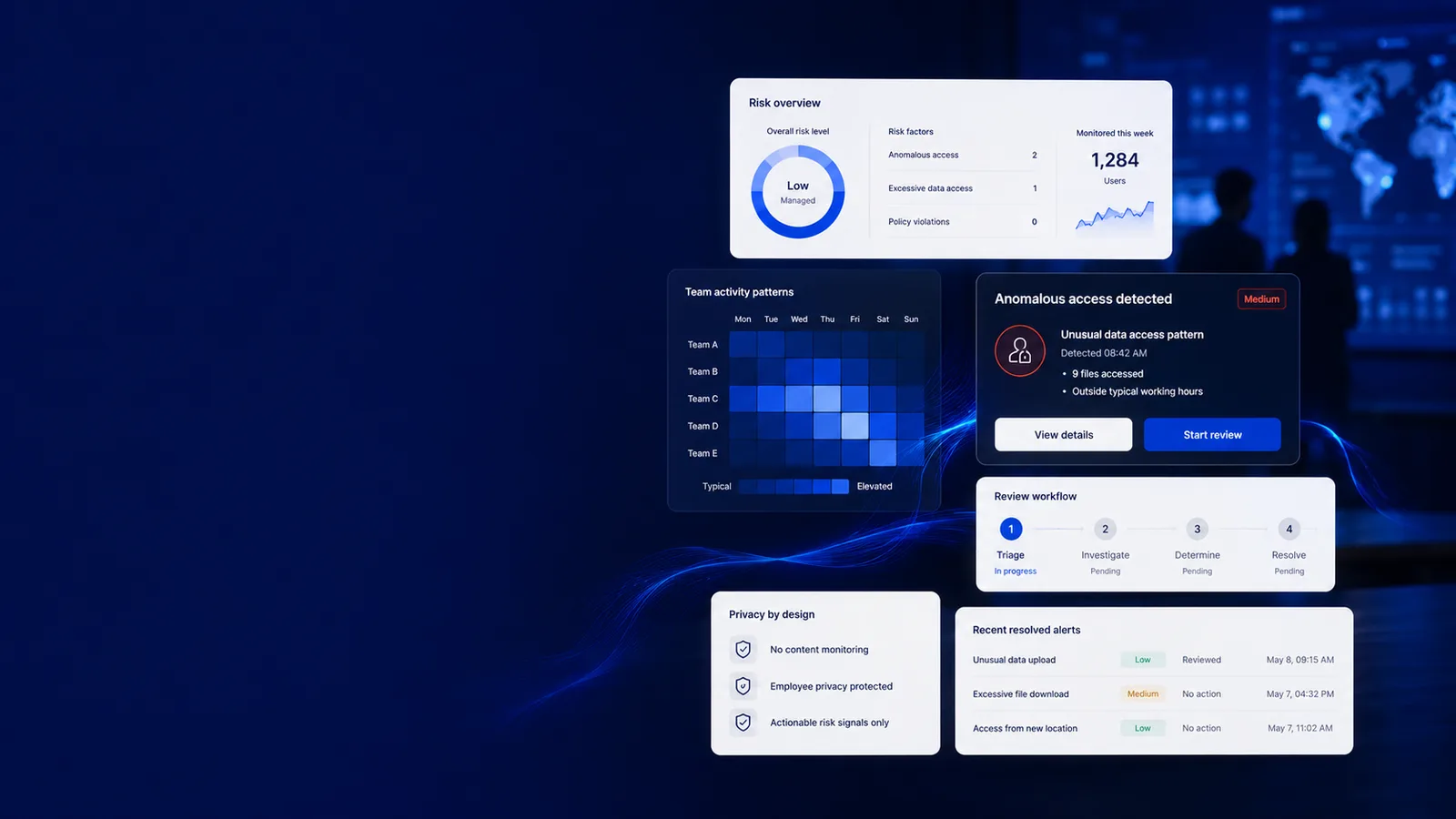
Catch insider threats early
Insider risk work that survives being audited itself
Every line here opens the screen it happens on. Judge the job on what it puts in front of a manager, not on the sentence describing it.
How it works
How a signal becomes a case
- 1
Collect the signals
Egress signals, access patterns and integrity checks stream in alongside ordinary activity, under the same consent and capture policy.
- 2
Surface the anomaly
The anomaly feed raises what departs from the pattern, with the day reconstruction available to see the context around it.
- 3
Investigate on the record
Every step of the investigation is itself recorded on the hash-chained access log, which is what makes the finding usable later.
- 4
Hand it to the security stack
SIEM export carries the signal into the tooling your security team already works in, as JSON and as ready-to-ingest CEF.
A log you have to trust vs. a trail that proves itself
workmonitor.vsConventional activity logging
6differences, worked through below
If an admin covers their tracks
With WorkMonitor
The trail is hash-chained and append-only. A removal breaks the chain, and the break is detectable.
Conventional activity logging
They can. Deleting rows from a log table leaves no evidence that rows were deleted.
Who watches the investigator
With WorkMonitor
Every access to a person’s record is logged, investigators included, and shown to the subject.
Conventional activity logging
Nobody. Investigative access looks identical to no access at all.
Signal quality
With WorkMonitor
An anomaly feed built on the same analytics as the productivity picture, so unusual is measured against a baseline.
Conventional activity logging
An alert per event, which trains everybody to close the tab.
Tampering with the evidence
With WorkMonitor
Integrity and anti-cheat signals detect it, and downgrade the tier of any proof record built on that activity.
Conventional activity logging
A cooperative user can idle-jiggle or spoof activity and nothing notices.
Fitting the security stack
With WorkMonitor
SIEM export, plus a typed v1 API and partner webhooks, so this is a source rather than a destination.
Conventional activity logging
One more console with its own login and its own notion of an incident.
Investigating without creating a second problem
With WorkMonitor
Subjects keep a transparency view and a dispute route with a right to human review, which is what stops a finding being thrown out along with the process that produced it.
Conventional activity logging
The investigation runs entirely outside anything the subject can see or contest, and the dismissal it supports is argued on process rather than on facts.
Everything behind insider-risk detection
- Alerts & anomaly feed
- Integrity / anti-cheat signals (also raises Proof Ledger tier)
- Reports & delivery channels + verified-hours digests
Ask AI
Ask AI what looks unusual
Answers grounded in the anomaly feed and the access log, including a record of this question having been asked.
Pick a question above and WorkMonitor AI will answer from your team's real numbers.
The status meeting, already written
Status is normally assembled by asking. Here it is already: hours, activity, attendance and risk on one board, for one person or the whole company. Set the thresholds once and it tells you who needs you.
Who runs this
Teams that carry the risk when data walks
Where you operate
Investigating lawfully, by jurisdiction
- United States (federal)Federal law is permissive; the real constraints are state law and the NLRA.
- United KingdomThe ICO's 2023 monitoring guidance is the operative document, and it expects a DPIA.
- GermanyThe works council holds a veto, and a productivity dashboard is enough to trigger it.
- SingaporeEmployment data has a deemed-consent route, but notification is still mandatory.
- United Arab EmiratesThree regimes in one country. Onshore, DIFC and ADGM each have their own rules.
- South AfricaPOPIA plus RICA, and RICA makes unlawful interception a criminal offence.
Straight answers
The questions we would ask in your position
Every answer here is the one you would get on a call. Open as many as you like; they stay open, so two can be held side by side.
No: it produces egress signals, not full data-loss prevention. What it adds to a DLP stack is context: the activity around the event, an integrity layer that says whether the underlying record was tampered with, and an audit trail that an insider with admin access cannot quietly edit. SIEM export is how it feeds the tooling that does the enforcement.
The audit log is append-only and hash-chained, so an entry cannot be removed without breaking the chain, and a broken chain is detectable. That is the whole reason to spend the cost of hash-chaining a log: the threat model for insider risk includes the person holding the admin credential.
Jurisdictions differ sharply on what may be withheld during an active investigation, and the per-country guides set out where the line sits. The default posture here is that covert, unreviewable monitoring is an exposure rather than a capability: subjects see accesses to their data through the transparency view and the data-access log, and keep a dispute route with a right to human review, which is what keeps a finding usable when it is challenged.
The anomaly feed measures against a baseline drawn from the same analytics that produce the productivity picture, rather than firing on every event. Rules and delivery channels are configurable, and the honest test is whether the feed is still being read in month three.
Integrity and anti-cheat signals exist to detect exactly that, and they do more than raise a flag: they lower the tier of any Proof Ledger record built on the suspect activity, so simulated work does not silently become verified work.
Keep going
The jobs next to this one
Same record, read for a different question. Each one opens the page written for that job.
- Catch anomalies with smart alertsAnomaly detection against your own baseline, six named agents on specific jobs, evidence-cited summaries, and delivery to a channel your team already reads.
- Monitor apps & websitesEvery app and site classified, every day replayable as a timeline. You see which tools are eating the week and which teams they are fragmenting.
- Monitor legally & stay compliantVersioned consent, a capture scope that cannot quietly widen, retention and DSAR handling, and written guidance for 32 jurisdictions before you roll out in one.
Take these with you
The software is the easy part of a rollout
Here is what we would send a manager doing one for the first time: how to read a productivity number, what to say to a remote team before anything is installed, and a policy you can adopt as written.
Point it at one team for a week.
Create the account, put the agent on a handful of desks, and leave it alone. On Friday you read the week instead of reconstructing it: hours against their projects, focus and idle per person, and the timesheets already filled in.
Free for two seats. No card, and no sales call to sit through.