Use case · App & website monitoring
Know what the week went on, hour by hour
Ask where the time went and you get theories. Every app and site is classified into categories you set, and any day replays as a timeline, so the answer takes a minute to find.
Free for two seats, no card.
- Capture on the deviceThe agent records app and active-tab activity locally, applying redaction and deny-lists before anything is transmitted.
- Classify itApps resolve against a shared directory for icon, name and vendor, then through your own overrides. Nobody maintains a catalogue by hand.
- Roll it into the pictureCategory breakdowns, focus analysis and heatmaps assemble from the same stream that feeds the timeline.
- Replay when it mattersReconstruct a specific day when a question comes up, whether it is a client query, a missed deadline or an hour somebody disputes.
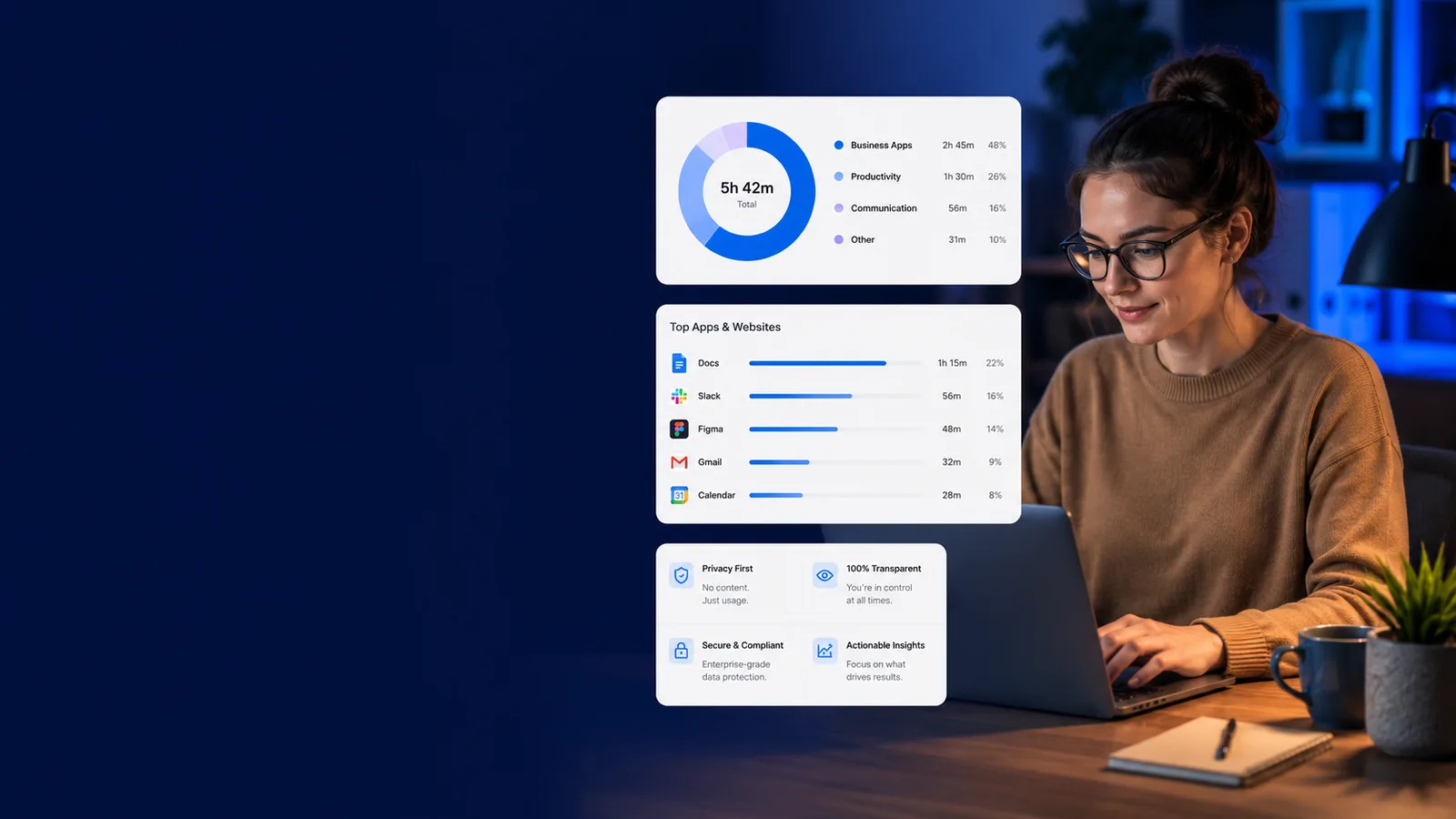
Monitor apps & websites
Visibility specific enough to act on
Every line here opens the screen it happens on. Judge the job on what it puts in front of a manager, not on the sentence describing it.
How it works
From raw activity to a week you can read
- 1
Capture on the device
The agent records app and active-tab activity locally, applying redaction and deny-lists before anything is transmitted.
- 2
Classify it
Apps resolve against a shared directory for icon, name and vendor, then through your own overrides. Nobody maintains a catalogue by hand.
- 3
Roll it into the picture
Category breakdowns, focus analysis and heatmaps assemble from the same stream that feeds the timeline.
- 4
Replay when it matters
Reconstruct a specific day when a question comes up, whether it is a client query, a missed deadline or an hour somebody disputes.
A URL log vs. an activity picture with a privacy boundary
workmonitor.vsRaw URL logging
6differences, worked through below
What is recorded
With WorkMonitor
Categorised activity with per-app deny-lists applied on the device, plus a retention policy that actually expires things.
Raw URL logging
Every URL, including the ones nobody meant to record, kept indefinitely because deleting them is work.
Categorisation
With WorkMonitor
A shared app directory with per-org overrides, so your categories describe your business.
Raw URL logging
A vendor list that files your build tooling under "other" and cannot be corrected.
Answering "what happened on Tuesday"
With WorkMonitor
Open the day reconstruction and read the session in order.
Raw URL logging
Scroll a log export and infer.
Live vs. stale
With WorkMonitor
Online status is the only liveness claim; classification and active-app read as the history they are.
Raw URL logging
A dashboard that shows an eleven-minute-old snapshot as though it were live.
Data you never collected
With WorkMonitor
Never captured. The deny-list applies before transmission, so there is nothing to filter, nothing to disclose and nothing to lose in a breach.
Raw URL logging
Captured, then filtered in a report, which means it was still collected and still stored.
Proving who looked
With WorkMonitor
Every access to a person’s data lands on a hash chain administrators cannot quietly edit, which is what you produce when the question is put formally.
Raw URL logging
Nobody. Admin access to the log leaves no trace.
Everything behind app and website visibility
- Live activity board
- Live screens (a frame every few seconds, nothing stored) — Business and above
- Screenshots & gallery
- Activity timeline / day reconstruction
Ask AI
Ask AI where the time went
Answers built from classified activity, with the deny-listed tools genuinely absent rather than merely hidden.
Pick a question above and WorkMonitor AI will answer from your team's real numbers.
The status meeting, already written
Status is normally assembled by asking. Here it is already: hours, activity, attendance and risk on one board, for one person or the whole company. Set the thresholds once and it tells you who needs you.
Who runs this
Teams that get asked what people do all day
Straight answers
The questions we would ask in your position
Every answer here is the one you would get on a call. Open as many as you like; they stay open, so two can be held side by side.
No. The agents are held to counting key events without reading their content, and the record is built from application and active-tab identity plus duration. A URL work-edge names the page; it is not a transcript of it.
Yes, and that is the recommended posture for anything personal. The per-app deny-list applies on the device before transmission, so a denied application produces no data at all: nothing to filter out of a report, nothing to hand over in a subject-access request, and nothing to lose in a breach.
Online status is the only liveness claim it makes. Classification and last-active-app are presented as the last-window history they are, which sounds like a small distinction until a manager acts on a stale reading and confronts somebody who was in a meeting.
A shared, org-less application directory. Icon, name and vendor are fetched once when an app is first added and reused across every tenant, which means no customer has to maintain their own catalogue and no customer’s data is used to build another’s.
The transparency view, which shows what is collected about them, alongside a dispute route that reaches a human. Every access to the record is written to a hash-chained log, so the answer to who has been reading it is documented rather than asserted, and an administrator browsing an individual leaves a mark.
Keep going
The jobs next to this one
Same record, read for a different question. Each one opens the page written for that job.
- Score productivity & focusOne score per person, team or company, with the breakdown behind every one. Your categories rather than our defaults, and a capacity signal that names who is running hot.
- Capture screenshots on your termsA randomised cadence, exclusions applied on the device, retention that expires, and the consent record and appeal route that keep the programme standing.
- Catch insider threats earlyEgress signals, anomaly detection and integrity checks on a hash-chained trail that records the investigators too, so the finding survives being examined.
Take these with you
The software is the easy part of a rollout
Here is what we would send a manager doing one for the first time: how to read a productivity number, what to say to a remote team before anything is installed, and a policy you can adopt as written.
Point it at one team for a week.
Create the account, put the agent on a handful of desks, and leave it alone. On Friday you read the week instead of reconstructing it: hours against their projects, focus and idle per person, and the timesheets already filled in.
Free for two seats. No card, and no sales call to sit through.