Use case · Automatic time tracking
Hours you never had to chase
Nobody remembers Tuesday. Work starts and the record starts, so approving a week means reading it rather than rebuilding it, and payroll gets a number nobody typed in.
Free for two seats, no card.
- Deploy one agentEnrol a device once. The enrol → session → ingest protocol handles the rest, and signed auto-update keeps the fleet current without a second rollout.
- Set the capture scopeCapture policy is set per team and per region, with per-app deny-lists for the tools you would rather never entered the record. Scope it once and it holds across the fleet.
- Let the day record itselfHours, apps and focus accumulate as the work happens. Idle stretches are detected and separated instead of rounded away.
- Approve, then exportReview the week, approve it through as many stages as your policy needs, and push approved hours to payroll, invoicing or your warehouse.
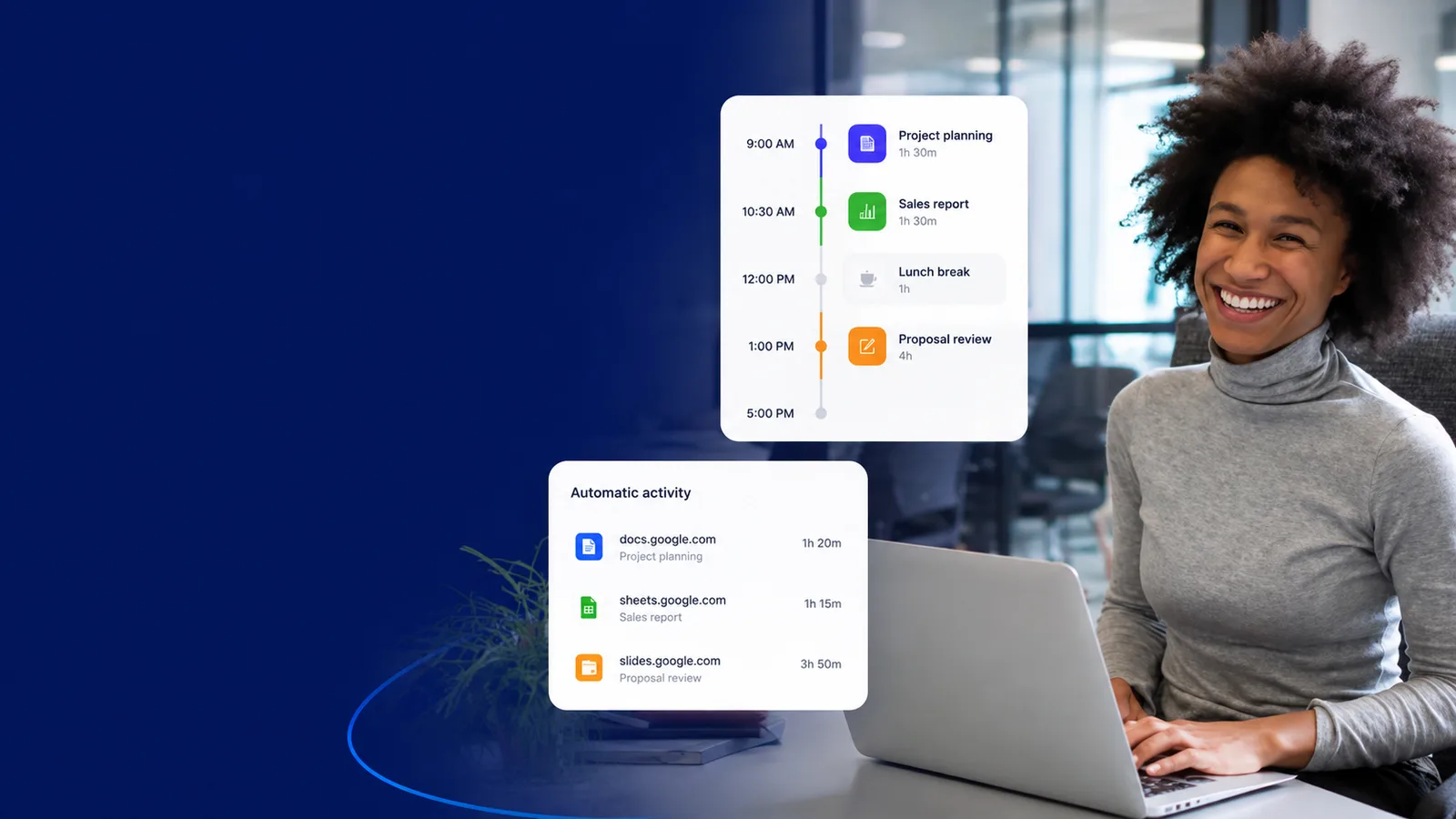
Track time automatically
What changes once the day records itself
Every line here opens the screen it happens on. Judge the job on what it puts in front of a manager, not on the sentence describing it.
How it works
From install to a finished timesheet
- 1
Deploy one agent
Enrol a device once. The enrol → session → ingest protocol handles the rest, and signed auto-update keeps the fleet current without a second rollout.
- 2
Set the capture scope
Capture policy is set per team and per region, with per-app deny-lists for the tools you would rather never entered the record. Scope it once and it holds across the fleet.
- 3
Let the day record itself
Hours, apps and focus accumulate as the work happens. Idle stretches are detected and separated instead of rounded away.
- 4
Approve, then export
Review the week, approve it through as many stages as your policy needs, and push approved hours to payroll, invoicing or your warehouse.
Reconstructed timesheets vs. a record that was already there
workmonitor.vsManual timesheets
6differences, worked through below
Filling it in
With WorkMonitor
The week is already written. It was captured as it happened, so the timesheet is a review rather than an act of recall.
Manual timesheets
Someone rebuilds the week on Friday afternoon from a calendar, a chat log and memory.
Idle and breaks
With WorkMonitor
Detected and split out as its own line, so the hours that get approved are the hours that were worked.
Manual timesheets
Rounded to the nearest half hour, or quietly ignored, and everyone knows it.
Corrections
With WorkMonitor
Corrections append. The original entry, the correction, the author and the reason all stay readable, which is what you need when a week is queried a year later.
Manual timesheets
A cell is overwritten. The original number is gone and so is the reason it changed.
Coverage
With WorkMonitor
One enrolment, one ingest pipeline, one record shape, so a contractor’s week and an employee’s week are the same object.
Manual timesheets
One tool for desktop, a spreadsheet for contractors, and nothing at all for the people in between.
When someone disputes it
With WorkMonitor
The entry opens into the activity behind it, so the week is settled from the record in an afternoon. The person concerned can see their own and raise it formally if they still disagree.
Manual timesheets
It becomes one person’s word against another’s, and the loudest recollection wins.
Getting hours to payroll
With WorkMonitor
Approved hours feed the payroll run directly, through one shared rate engine and an integer-cent pre-flight check.
Manual timesheets
Copy, paste, re-key, and a reconciliation pass to find what got mangled.
Everything behind automatic time tracking
- Live activity board
- Live screens (a frame every few seconds, nothing stored) — Business and above
- Screenshots & gallery
- Activity timeline / day reconstruction
Ask AI
Ask AI about the week that just happened
Plain-language answers grounded in the activity record, with every number traceable back to the capture it came from.
Pick a question above and WorkMonitor AI will answer from your team's real numbers.
The status meeting, already written
Status is normally assembled by asking. Here it is already: hours, activity, attendance and risk on one board, for one person or the whole company. Set the thresholds once and it tells you who needs you.
Who runs this
Teams that stopped filling in timesheets
Straight answers
The questions we would ask in your position
Every answer here is the one you would get on a call. Open as many as you like; they stay open, so two can be held side by side.
No. The capture agent records activity as it happens, which is the whole point, a timer that has to be remembered is a timer that gets forgotten, and the hours it misses get guessed at later. Manual entry is still available for the work that happens away from a device, and it is marked as manual on the record so the two are never confused.
Idle is detected from the absence of input and activity, not inferred from a productivity judgement. It is reported as its own line rather than deducted silently, so a reviewer can see the shape of the day and decide what counts. A long read of a document is not the same as an empty desk, and the day reconstruction shows the difference.
It can be corrected, never rewritten. Timesheets are append-only: a correction is a new entry that references the one it supersedes, carrying the author and the reason. The original stays readable, which is what makes an approved timesheet worth anything in a dispute.
Native agents for macOS, Windows and Linux, and a browser extension for work that never leaves a tab. All four enrol once, share one ingest pipeline and write one record shape, so a mixed fleet produces one number rather than four. The feature list on this page is read from the product catalogue rather than retyped, so it cannot drift from what the product does.
Some will, and a rollout people fight is a rollout that stalls, or in parts of Europe one a works council can block outright. What stops that is also what a regulator asks about later: capture policy set explicitly per team, per-app deny-lists that keep what named tools are used for out of the record, a view of their own record for the people in it, and a route to dispute a capture that reaches a human. Automatic tracking nobody can inspect is the version that costs you the rollout.
Keep going
The jobs next to this one
Same record, read for a different question. Each one opens the page written for that job.
- Score productivity & focusOne score per person, team or company, with the breakdown behind every one. Your categories rather than our defaults, and a capacity signal that names who is running hot.
- Run payroll from approved hoursApproved timesheets seed the run, one rate engine prices pay and billing, an integer-cent pre-flight has to balance, and the export is gated to the owner.
- Bill defendable client hoursBudgets that burn down while you can still move somebody, rate-card billing off captured hours, and an invoice the client verifies without asking you for anything.
Take these with you
The software is the easy part of a rollout
Here is what we would send a manager doing one for the first time: how to read a productivity number, what to say to a remote team before anything is installed, and a policy you can adopt as written.
Point it at one team for a week.
Create the account, put the agent on a handful of desks, and leave it alone. On Friday you read the week instead of reconstructing it: hours against their projects, focus and idle per person, and the timesheets already filled in.
Free for two seats. No card, and no sales call to sit through.