Use case · Screenshot capture & controls
Screenshots you will not regret keeping
Most capture tools leave you a folder nobody wants to own. This one runs on a randomised cadence, skips denied apps on the device, and expires on the schedule you set.
Free for two seats, no card.
- Set the policyCadence, scope, excluded applications and retention are configured per team and per region before a single capture is taken.
- Record the consentConsent is captured against a specific policy version, so what somebody agreed to is knowable a year later, which is usually when it gets asked.
- Capture with jitter and redactionTiming is randomised, deny-listed applications are skipped on the device, and on-device redaction runs before anything is transmitted.
- Handle the challenge in the productThe person captured is notified, reviews it on a page scoped to them alone, and can raise a dispute a human has to answer. That is where you want an objection resolved.
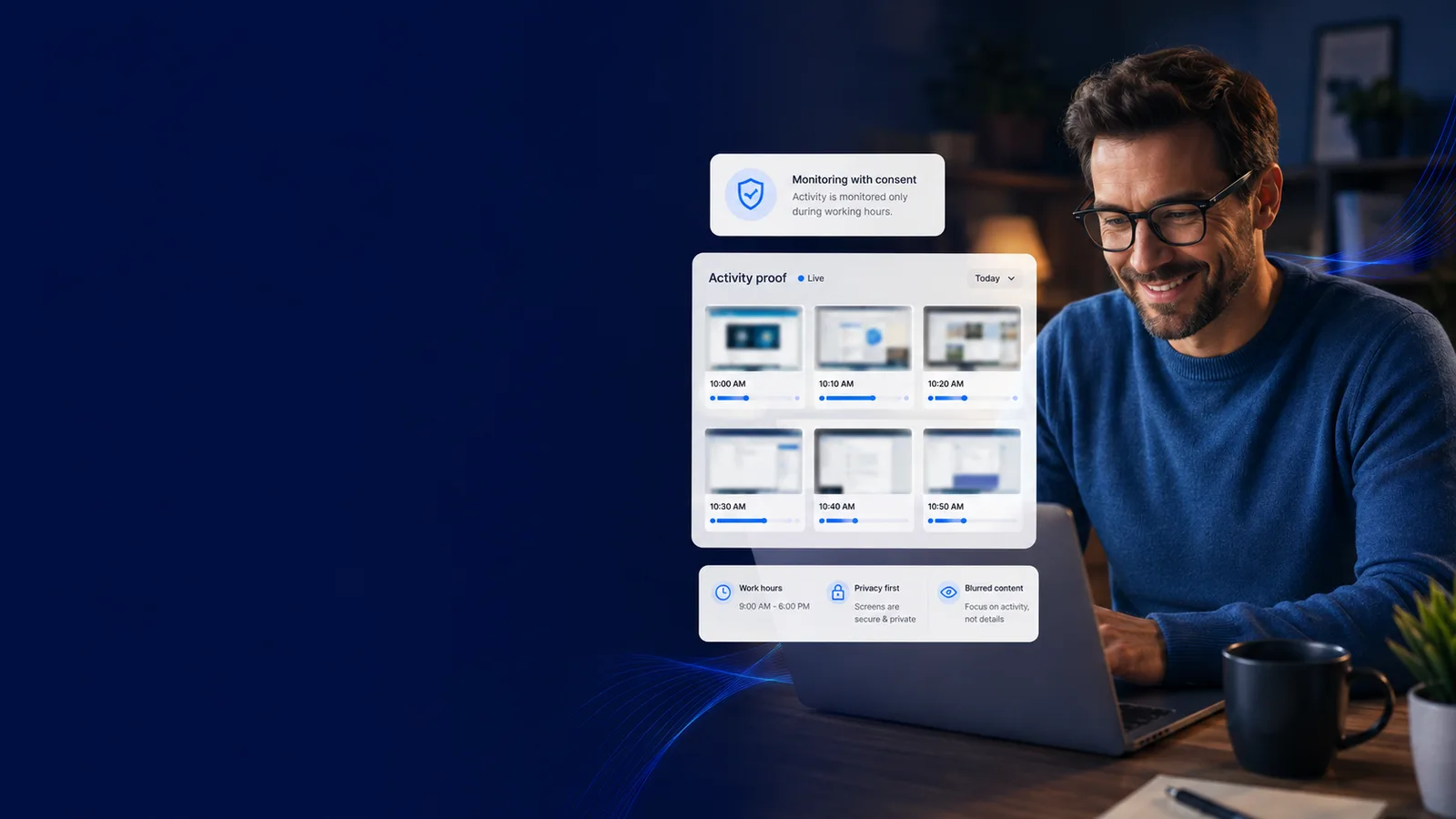
Capture screenshots on your terms
Screen capture, with the controls that make it defensible
Every line here opens the screen it happens on. Judge the job on what it puts in front of a manager, not on the sentence describing it.
How it works
From the policy to the first challenge, handled
- 1
Set the policy
Cadence, scope, excluded applications and retention are configured per team and per region before a single capture is taken.
- 2
Record the consent
Consent is captured against a specific policy version, so what somebody agreed to is knowable a year later, which is usually when it gets asked.
- 3
Capture with jitter and redaction
Timing is randomised, deny-listed applications are skipped on the device, and on-device redaction runs before anything is transmitted.
- 4
Handle the challenge in the product
The person captured is notified, reviews it on a page scoped to them alone, and can raise a dispute a human has to answer. That is where you want an objection resolved.
Screenshots as a liability vs. screenshots as evidence
workmonitor.vsConventional screenshot tools
6differences, worked through below
Cadence
With WorkMonitor
Randomised timing that removes the predictable gap without capturing more often.
Conventional screenshot tools
A fixed interval, which everybody learns within a week and works around.
What gets photographed
With WorkMonitor
Deny-listed applications set to Skip capture are skipped on the device, so the sensitive frame is never taken.
Conventional screenshot tools
Whatever is on screen, personal banking tab included, then filtered afterwards if at all.
Consent
With WorkMonitor
An auditable record of who agreed to what, when, and under which version of the policy.
Conventional screenshot tools
A clause in a handbook, unversioned, unprovable and usually unread.
When a capture is challenged
With WorkMonitor
The subject reviews it on their own page and raises a dispute that reaches a human, on a record showing what was decided and why.
Conventional screenshot tools
The complaint goes to a manager, then to HR, then to a solicitor, and nothing in the file settles it.
Who can look
With WorkMonitor
Role-scoped access with every view written to a hash-chained data-access log.
Conventional screenshot tools
Anyone with an admin login, leaving no trace.
Proving delivery to a client
With WorkMonitor
Screenshots are not the proof path at all. Verified Work Certificates prove delivery from work edges, with zero pixels.
Conventional screenshot tools
Screenshots pasted into a deck, which exposes client data to prove client work.
Everything behind screen capture
- Live activity board
- Live screens (a frame every few seconds, nothing stored) — Business and above
- Screenshots & gallery
- Activity timeline / day reconstruction
Ask AI
Ask AI about your capture policy
Answers describing the policy as configured, not as intended, including what is excluded and who has looked.
Pick a question above and WorkMonitor AI will answer from your team's real numbers.
The status meeting, already written
Status is normally assembled by asking. Here it is already: hours, activity, attendance and risk on one board, for one person or the whole company. Set the thresholds once and it tells you who needs you.
Who runs this
Teams with a real reason to capture a screen
Where you operate
Where screen capture is restricted or prohibited
- PortugalThe Labour Code prohibits remote means used to monitor employee performance.
- SwitzerlandSystems for monitoring worker behaviour are prohibited by the labour ordinance.
- NetherlandsWorks council consent, and the regulator treats screenshots as disproportionate by default.
- GermanyThe works council holds a veto, and a productivity dashboard is enough to trigger it.
- FranceConsult the CSE first. Skipping it is the criminal offence of obstruction.
- IllinoisBIPA carries a private right of action. This is the state where monitoring gets sued.
Straight answers
The questions we would ask in your position
Every answer here is the one you would get on a call. Open as many as you like; they stay open, so two can be held side by side.
No, and for a growing number of teams the answer should be no. The Proof Ledger builds a verifiable record of delivered work from work edges, commits, tickets, documents, URLs, with zero pixel capture, which is a better answer for client proof and a far smaller privacy liability. Screen capture remains available where a specific obligation genuinely requires it.
A fixed cadence is a published schedule. People learn it, and the capture stops measuring anything. Jittered timing closes that gap without increasing how often captures are taken, which matters because every additional capture is additional exposure.
Yes. The deny-list is applied on the device before a frame is taken, so a denied application is not photographed at all. That is a meaningfully different guarantee from a tool that captures everything and hides some of it in the viewer.
They are notified and deep-linked to a review page scoped to them alone, where they can see the capture and raise a dispute. Disputes carry a right to human review, so the answer cannot be an automated decision, and the whole exchange lands on the record. An objection settled in the product is an objection that does not arrive as a claim.
As long as your retention policy says and no longer: lifecycle rules cover retention, erasure and subject-access requests. Indefinite retention is the setting that turns a single breach, or a single subject-access request, into a project, so it is not the default here.
Keep going
The jobs next to this one
Same record, read for a different question. Each one opens the page written for that job.
- Monitor legally & stay compliantVersioned consent, a capture scope that cannot quietly widen, retention and DSAR handling, and written guidance for 32 jurisdictions before you roll out in one.
- Monitor apps & websitesEvery app and site classified, every day replayable as a timeline. You see which tools are eating the week and which teams they are fragmenting.
- Prove work with certificatesA finalized invoice mints a signed certificate the client checks for themselves. Selective disclosure proves the work without handing over the work.
Take these with you
The software is the easy part of a rollout
Here is what we would send a manager doing one for the first time: how to read a productivity number, what to say to a remote team before anything is installed, and a policy you can adopt as written.
Point it at one team for a week.
Create the account, put the agent on a handful of desks, and leave it alone. On Friday you read the week instead of reconstructing it: hours against their projects, focus and idle per person, and the timesheets already filled in.
Free for two seats. No card, and no sales call to sit through.